From your first idea to your next post.
Explore the actual calendar, composer and content library before creating your account.
These screens were captured from the real Social9 interface in a demo workspace. Captions and account data are examples, not customer results.
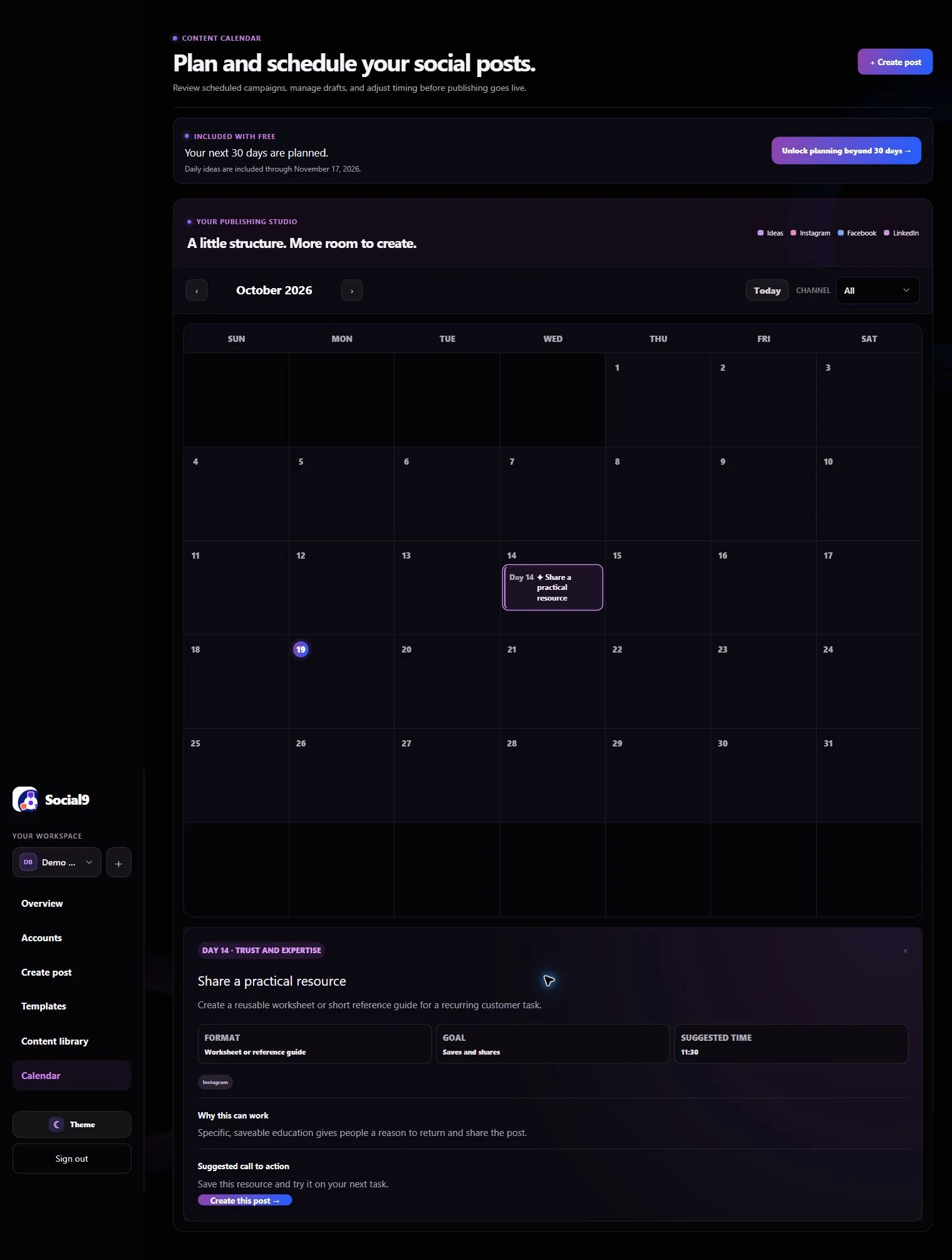
Open a calendar idea and inspect the details.
Each idea includes a format, goal, suggested time, caption prompt and call to action. Selecting it brings the details into view; Create this post carries the prompt into the composer.
See an actual scheduled Instagram post.
A clearly labeled Social9 test was scheduled and automatically published to @vcuestore on 19 October 2026. It uses a demonstration image and caption; this is a publishing example, not a customer performance claim.
View the Instagram test postReady to publish?
Connect a supported account and grant its publishing permissions. Instagram requires a professional account and suitable media; Facebook publishing requires Page access. Review the destination and preview before scheduling, then check the delivery status. A saved draft or scheduled post is not yet a confirmed publication.
Start with a free 30-day content plan